Checkpoint · NIST CSF
NIST CSF 2.0 software, measured from your Microsoft 365
Checkpoint runs the NIST Cybersecurity Framework 2.0 across Govern, Identify, Protect, Detect, Respond and Recover, measures what it can from your Microsoft 365 tenant, and maps the work to ISO 27001 and Essential Eight so nothing is done twice.
The demo is the real console with sample data. No sign-up.
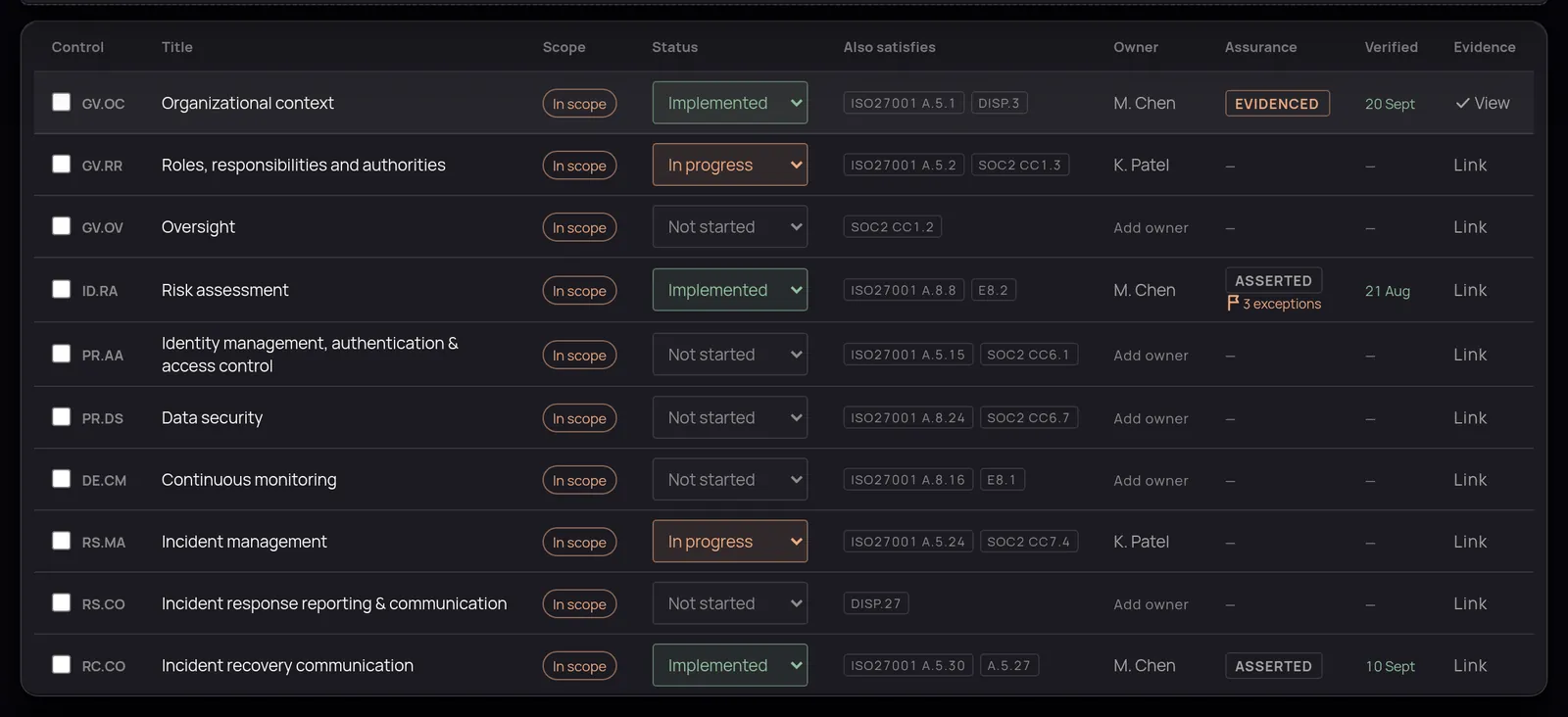
What Checkpoint holds for NIST CSF
- All 22 categories of NIST CSF 2.0 across its six functions.
- An optional switch to subcategory depth (106 subcategories) when you need it, without flooding a light-touch programme.
- Cross-mapping to ISO 27001 and Essential Eight.
- Board reporting: a posture trend, top risks and progress, from the same live records.
Measured from your Microsoft 365
The Microsoft 365 scan evidences Protect and Detect categories such as identity and access, data security, and continuous monitoring.
Checkpoint signs in with Microsoft Entra and reads your settings through Microsoft Graph with read-only, delegated permissions. Your records are SharePoint lists in your own tenant, so if you stop using Checkpoint they are still yours. How Checkpoint works.
Questions
- Is NIST CSF a certification?
- No. NIST CSF is a framework you assess yourself against; there is no certificate. Many boards use it to track cyber risk, and it pairs well with ISO 27001 if you later certify.
- Version 1.1 or 2.0?
- Version 2.0 (February 2024), including the Govern function.
- Category or subcategory level?
- Category level by default. Switch to subcategories in Settings when you need the detail.