Resource Guide
ISO 27001 Statement of Applicability (SoA): How to Write One
The Statement of Applicability (SoA) is the document auditors read first and trust most. It connects your risk register to your controls, explains every inclusion and exclusion, and points directly to your evidence. A well-built SoA makes certification faster and ongoing assurance simpler.
- ISO 27001
- ISO 27701
- ISO 42001
- Risk linkage
- Audit-ready
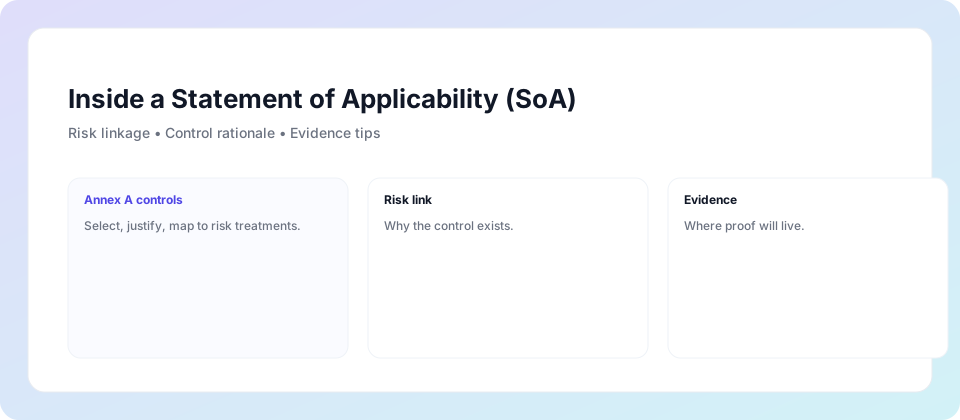
What is a Statement of Applicability?
The Statement of Applicability (SoA) is a mandatory document in ISO 27001 (Clause 6.1.3), ISO 27701, and ISO 42001. It lists every control from the relevant Annex A, declares whether each control is applied or excluded, and justifies that decision with a reference to the risk register.
It is not a policy. It is not a risk register. It is the bridge between them — the document that shows an auditor, a procurement team, or a board member that your security, privacy, or AI governance programme is deliberately designed around real risks, not just implemented to satisfy a checklist.
Links risk to controls
Every included control traces back to a risk in your register. Every excluded control has a justified rationale. Auditors can verify your programme is intentional, not arbitrary.
Documents implementation
Where each control lives — in policy, process, technology, or people — with a named owner and an evidence pointer. Not just "implemented" but specifically how and where.
Enables ongoing assurance
A live SoA with review cadences and evidence locations turns annual certification audits into routine sampling exercises rather than months of preparation.
What separates a good SoA from a bad one
Most organisations have a SoA. Most of them are static Word documents that haven't been updated since the original certification. Here's what distinguishes one that actually works from one that just satisfies the mandatory document checklist.
A SoA that fails under scrutiny
- Controls listed as "implemented" with no evidence pointer
- Exclusions marked without justification or risk linkage
- Last reviewed at original certification — 18+ months ago
- No named owner for each control
- Scope changes not reflected in included/excluded controls
- Stored as a Word document emailed around for signatures
- One SoA per framework — three separate documents to maintain
✓ A SoA that builds auditor confidence
- Every control has a direct link to its evidence location
- Every exclusion cites the risk rationale or compensating control
- Review cadence defined — quarterly or annual per control
- Named owner and accountability for each control
- Version-controlled — auditors can see what changed and when
- Lives in SharePoint with automated evidence exports
- Single integrated SoA covering ISO 27001, 27701, and 42001
What auditors actually check in your SoA
Certification auditors are not reading your SoA to verify that it exists. They are using it as a sampling guide — selecting controls to test and following the evidence trail you have documented. These are the four things that determine whether that process goes smoothly or not.
For each included control, the auditor will check that it maps to a risk or objective in your register. If your SoA says "A.8.2 — Information Classification: Implemented" but there is no corresponding risk entry, that is a finding. The link must be explicit.
Excluding a control is not just permitted under ISO 27001 — it is expected for controls that genuinely do not apply to your context. What is not acceptable is "N/A" without explanation. Every excluded control needs a rationale: "Not applicable — organisation does not manufacture physical products" or "Compensating control in place: third-party penetration testing programme."
The auditor will ask: where does this control actually operate? "Policy" is not an answer — they want to know which policy, where it lives, when it was last reviewed, and who owns it. "Technology" is not enough — they want the specific system, the configuration state, and the export that proves it.
Evidence that was accurate 14 months ago does not prove the control is operating today. Auditors expect evidence to be current relative to the audit date — typically within the last review cycle for the control. A SoA that links to live SharePoint exports or scheduled automated reports satisfies this; one that links to a folder of manually taken screenshots from last year does not.
Sample SoA table — ISO 27001, ISO 27701 & ISO 42001 integrated
This is the format auditors prefer — every control traceable, with status, owner, evidence location, and review cadence visible at a glance. Note how a single table covers all three frameworks, with shared controls (such as access management) appearing once rather than three times.
| Control ID | Title | Framework | Risk / Rationale | Status | Owner | Evidence Location | Review |
|---|---|---|---|---|---|---|---|
| A.5.1 | Information Security Policies | ISO 27001 | Inconsistent security practices across teams | Implemented | CISO | /Evidence/Policies/InfoSec-Policy-v2.pdf | Annual |
| A.5.15 | Access Control | ISO 27001 | Unauthorised access to sensitive systems and data | Implemented | IT Manager | /Evidence/Access/CA-Policy-Export.json | Quarterly |
| A.8.2 | Classification of Information | ISO 27001 | Data leakage from unclassified sensitive content | Implemented | Data Owner | /Evidence/Classification/Purview-Labels-Export.csv | Quarterly |
| 7.2.1 (27701) | Data Subject Rights Handling | ISO 27701 | Privacy Act non-compliance — DSR not handled in time | Implemented | Privacy Officer | /Evidence/27701/DSR-Requests-Log.xlsx | Monthly |
| 6.1 (42001) | AI Risk Assessment | ISO 42001 | Bias, drift, misuse in AI-assisted decision making | Implemented | AI Governance Lead | /Evidence/42001/AI-Risk-Register.xlsx | Quarterly |
| 7.3.5 (27701) | Privacy by Design | ISO 27701 | Privacy risk introduced at product design stage | In Progress | Product Lead | /Evidence/27701/PbD-Checklist-Draft.docx | Quarterly |
| A.8.28 | Secure Coding | ISO 27001 | No in-house development — SaaS platform only | Excluded | N/A | Compensating: annual 3rd-party pen test | N/A |
Four status values: Not Started (the default for every applicable control until work begins — an auditor expects to see some of these on any live SoA, not zero), Implemented (control operating with current evidence), In Progress (control being built — auditors accept this if it is tracked), Excluded (not applicable or compensating control in place — always requires a rationale). The colour coding by framework (blue for 27001, purple for 27701, green for 42001) makes cross-framework audits significantly faster.
The integrated SoA — one document, three certifications
This is one of the most significant efficiency gains available to Australian organisations pursuing multiple certifications. Instead of maintaining three separate SoA documents with overlapping controls, a single integrated SoA maps each control to every standard it satisfies — dramatically reducing maintenance overhead and audit preparation time.
Control count without vs with integration
ISO 27001 — Security foundation
93 Annex A controls covering information assets, access, cryptography, physical security, operations, communications, supplier relationships, and incident management. The foundation that ISO 27701 and ISO 42001 build on.
ISO 27701 — Privacy extension
Extends ISO 27001 with 49 privacy-specific controls across two annexes — one for data controllers, one for processors. Covers ROPA, DPIA, data subject rights, consent, third-party privacy risk, and Privacy Act obligations. Requires ISO 27001 as a prerequisite.
ISO 42001 — AI governance layer
Adds 38 AI-specific controls covering model inventory, AI risk and impact assessment, human oversight, monitoring, and responsible AI use. Shares the same Annex SL management system structure as ISO 27001 — making integration straightforward for organisations already certified.
Building your SoA inside Microsoft 365
The best SoAs are not static Word documents. They are live, version-controlled records that link directly to evidence that updates automatically. Microsoft 365 gives you everything you need to build this without a dedicated third-party GRC platform.
SharePoint List — the SoA register
A SharePoint List with columns for Control ID, Title, Framework, Status, Owner, Evidence URL, and Review Date gives you a live, filterable SoA that can be viewed by status, framework, or owner — and exports to Excel for audit submissions in one click.
- Filter by framework (27001 / 27701 / 42001)
- Filter by status (Implemented / In Progress / Excluded)
- Version history built-in — auditors can see what changed
- Power Automate alerts when reviews are due
Evidence folder structure — the proof
Each control's evidence pointer in the SoA links to a folder in SharePoint containing the timestamped artefacts for that control. Scheduled exports from Defender, Entra, and Intune feed directly into the relevant folders.
/Evidence/ISO27001/A.5.15/— Conditional Access export/Evidence/ISO27701/7.2.1/— DSR log and DPIA/Evidence/ISO42001/6.1/— AI risk register- Automated exports from Defender, Entra ID, and Intune
Most commonly excluded controls — and how to justify them
Exclusions are one of the areas auditors scrutinise most carefully. Here are the controls organisations most commonly exclude from ISO 27001 scope, with examples of valid justifications.
Valid for fully cloud-hosted SaaS with no on-premises infrastructure. Justification: "No physical premises within ISMS scope — all infrastructure hosted in Microsoft Azure data centres under Microsoft's physical security controls (evidenced by Azure compliance reports)."
Valid for organisations that do not develop software in-house. Justification: "No in-house software development within ISMS scope. Compensating control: annual third-party penetration testing programme covering all externally facing systems."
Frequently excluded without justification — but almost always applies. Applies to any organisation with employees who handle information assets. Cannot be excluded without a strong rationale. Audit finding risk: high.
Valid to exclude for very small organisations with no formal BCP requirement. Justification must reference scope and organisational context. Cannot be excluded if you have uptime SLAs with customers or if availability is in your risk register.
SoA frequently asked questions
Is the SoA mandatory?
Yes — it is a core requirement of ISO 27001 Clause 6.1.3. Without a current, approved SoA, you cannot achieve or maintain certification. It is also required (in adapted form) under ISO 27701 and ISO 42001.
Who approves the SoA?
The SoA must be approved by management — typically the CISO, CTO, or equivalent senior role. The approval (with date and version) is one of the first things a certification auditor will check. Electronic sign-off in SharePoint with version history is fully acceptable.
How often does it need to be reviewed?
At minimum annually, or whenever scope changes, significant new risks are identified, or a material change occurs to the control environment. In practice, a living SoA in SharePoint with control-level review cadences means it is always current rather than reviewed all at once.
Can we exclude controls without a finding?
Yes — exclusion is not just permitted, it is expected for controls that genuinely do not apply to your context. What will generate a finding is an exclusion without documented justification, or an exclusion that contradicts your risk register (e.g. excluding access control while your risk register lists unauthorised access as a significant risk).
Does one SoA work for all three frameworks?
Yes — and it is strongly recommended. An integrated SoA mapping ISO 27001, ISO 27701, and ISO 42001 controls reduces maintenance from ~181 individual control entries to approximately 80 unique controls, with shared controls (access, logging, incident management) mapped once and evidenced once.
Does the SoA need to be a specific format?
No — the ISO 27001 standard specifies what information the SoA must contain (selected/excluded controls, inclusion justification, implementation status) but not the format. A well-structured SharePoint List is more auditor-friendly than a Word document, and significantly easier to maintain.
Related services
Want a SoA that auditors trust and your team can actually maintain?
A 30-minute call will show you what a well-structured, integrated SoA looks like for your specific context — and what it takes to build one inside your existing Microsoft 365 environment.
Most organisations build a strong SoA foundation in 2–4 weeks.
Free monthly digest
Get the monthly Australian compliance digest
Practical updates on ISO 27001, Essential Eight, Privacy Act and AI governance — delivered once a month. No spam, unsubscribe any time.
Doing this yourself? Checkpoint keeps your Statement of Applicability, with a justification for every control in your own Microsoft 365 tenant and measures what it can from your settings. ISO 27001 software · try the free demo