The Statement of Applicability (SoA) is the beating heart of your management system — whether ISO 27001 (security), ISO 27701 (privacy), or ISO 42001 (AI governance). It connects risks to controls and evidence, proving your program is intentional and effective.
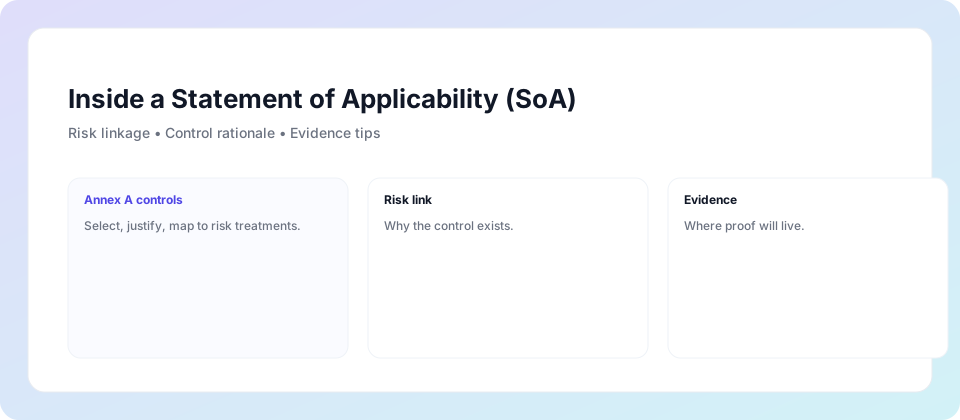
The SoA is the central document in ISO 27001, ISO 27701, and ISO 42001. It lists every relevant control from the respective Annex A, declares whether it is applied, excluded, or substituted, and justifies the decision with risk evidence.
Shows how each selected control addresses identified risks — ensuring your program is intentional, not arbitrary.
Documents where each control lives — in policy, process, technology, or people — with clear ownership.
Provides the evidence path and review cadence for every control — auditors start here.
A well-built SoA gives auditors confidence in your control design and maturity — and gives your team clarity on what’s required.
A current SoA shows your controls are deliberate and tied to real risks — building trust fast.
Summarises what’s in scope, what’s excluded, and the residual risk rationale — easy for executives to understand.
Prevents duplicated effort and streamlines evidence collection — saving weeks during audits.
Auditors start with the SoA — it’s the index for your entire management system.
Each selected/excluded control links back to the risk register.
Where and how the control operates — policy, process, technology, or people.
Screenshots, exports, approvals, and review logs — clear and current.
The best SoAs live inside your existing tools — a SharePoint list or Excel-in-SharePoint with versioning beats a static Word file. It keeps ownership clear and evidence current.
State scope, context, and risk methodology — keep it concise but specific.
Explain inclusions, exclusions, and any compensating controls.
Reference folders and monthly snapshots — auditors can verify status instantly.
Here’s a realistic example table (ISO 27001, 27701 & 42001 integrated). Auditors love this format — traceable, current, and evidence-linked.
| Control ID | Title | Framework | Risk Link / Rationale | Status | Owner | Evidence Location | Review Cadence |
|---|---|---|---|---|---|---|---|
| A.5.1 | Information Security Policies | ISO 27001 | Risk of inconsistent security practices | Implemented | CISO | /Evidence/Policies/InfoSec-Policy-v2.pdf | Annual |
| A.8.2.1 | Classification of Information | ISO 27001 | Risk of data leakage | Implemented | Data Owner | /Evidence/Classification/Labels-Purview-Export.csv | Quarterly |
| A.7.2.1 | Data Subject Rights Handling | ISO 27701 | Risk of non-compliance with privacy rights | Implemented | Privacy Officer | /Evidence/27701/DSR-Requests-Log.xlsx | Monthly |
| A.5.1 (42001) | AI Governance Policy | ISO 42001 | Risk of unethical AI use | Implemented | AI Governance Lead | /Evidence/42001/AI-Policy-v1.pdf | Annual |
| A.8.28 | Secure Development | ISO 27001 | Risk of vulnerabilities in code | Excluded | N/A | Compensating control: 3rd-party pen testing | N/A |
The Statement of Applicability is the bridge between your risks and your controls — ensuring everything is intentional, auditable, and defensible.
Start with your risk register — every control decision ties back here.
The SoA documents what applies, what’s excluded, and why — with clear rationale.
Direct pointers to screenshots, logs, exports — auditors verify in seconds.
The beauty of a unified SoA is that one table can cover multiple standards — reducing duplication and creating a single source of truth.
Core focus: protect information assets from threats — Annex A 93 controls.
Extends ISO 27001 with privacy controls (Annex A/B) — ROPA, DPIA, rights handling.
Adds responsible AI controls — model inventory, risk assessment, oversight, monitoring.
Use one SoA — map overlapping controls (e.g. access control appears in all three) — and maintain a single evidence register. This saves time, reduces audit fatigue, and proves to stakeholders you have a cohesive program.
Yes — it’s a core requirement of ISO 27001 Clause 6.1.3 and Annex A (also applies to ISO 27701 & ISO 42001).
At least annually, or whenever scope, risk, or controls change.
Yes — map controls to ISO 27701, ISO 42001, NIST CSF or SOC 2 to reduce duplicate effort.
Book a free 30-minute call — we’ll show you how to build a maintainable SoA that links risks, controls and evidence across ISO 27001, 27701 and 42001.
Most teams build a strong SoA foundation in under 4 weeks.

 Compliance365